
The Dealing Desk functionality provides the ability to manage traders' pending orders and positions effectively.

This functionality grants admins comprehensive control over critical aspects of the trading operations, ensuring smooth execution, risk management, and resolution of potential issues within the trading platform. It facilitates proactive intervention in response to trader requests or suspicious activities.

Vladimir Moshkov
Vladimir Moshkov

Product Manager

How It works

How It works

Administrative Actions

Admins execute interventions based on trader requests or to mitigate risks associated with suspicious activities.

When an account is slated for termination or market status changes to Deactivated, admins can make necessary adjustments in the platform, ensuring positions and orders are processed appropriately.
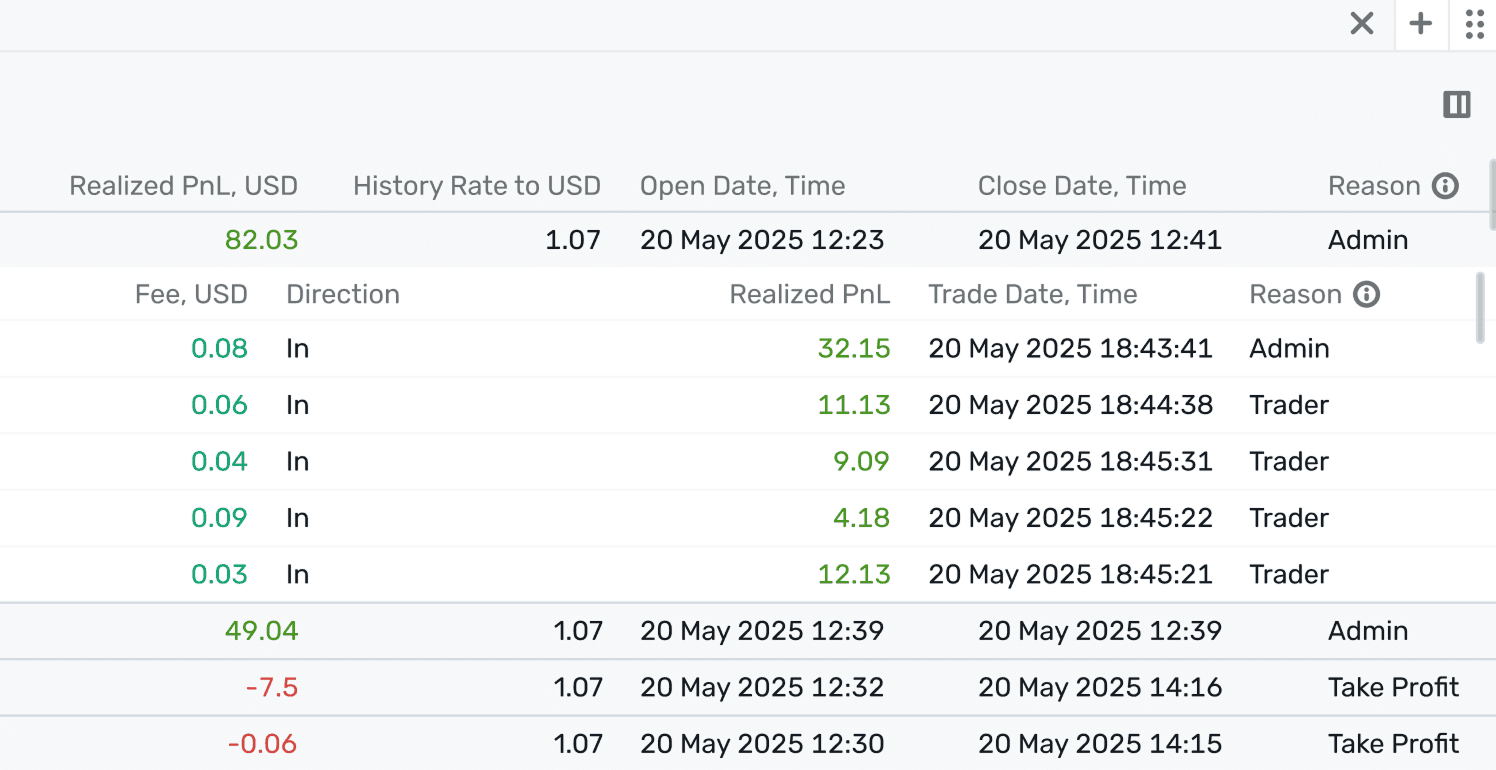
Transparency Assurance

Actions taken by admins are clearly marked with the reason "Admin" in the Trading terminal, ensuring traders are informed about interventions within their orders and positions.
background

Key Features

Key Features

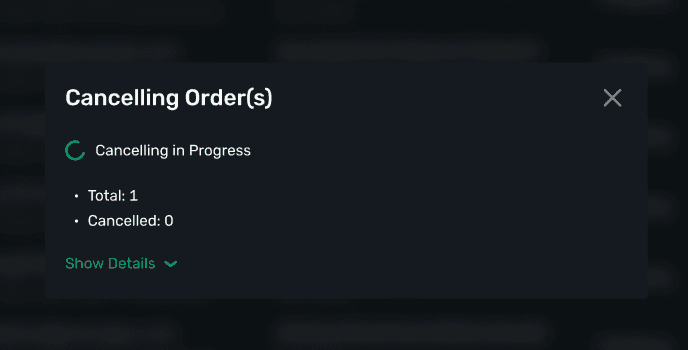
Cancel Pending Orders

Admins have the authority to cancel any pending orders upon necessity or request, maintaining order accuracy and platform stability.

Cancel Pending Orders

Admins have the authority to cancel any pending orders upon necessity or request, maintaining order accuracy and platform stability.

Cancel Pending Orders

Admins have the authority to cancel any pending orders upon necessity or request, maintaining order accuracy and platform stability.

Edit Take Profit and Stop Loss

Provides flexibility for admins to adjust traders' Take Profit and Stop Loss trigger prices, including Trailing Stops, in response to dynamic market conditions or trader requests.

Edit Take Profit and Stop Loss

Provides flexibility for admins to adjust traders' Take Profit and Stop Loss trigger prices, including Trailing Stops, in response to dynamic market conditions or trader requests.

Edit Take Profit and Stop Loss

Provides flexibility for admins to adjust traders' Take Profit and Stop Loss trigger prices, including Trailing Stops, in response to dynamic market conditions or trader requests.

Close Open Positions

Admins can close positions either partially or entirely, adhering to routing rules and trading schedules.

Close Open Positions

Admins can close positions either partially or entirely, adhering to routing rules and trading schedules.

Close Open Positions

Admins can close positions either partially or entirely, adhering to routing rules and trading schedules.

Force Close Positions

Enables forceful closure of positions using a counter order through the B-Book model, bypassing standard execution protocols and adhering to the last available price.

Force Close Positions

Enables forceful closure of positions using a counter order through the B-Book model, bypassing standard execution protocols and adhering to the last available price.

Force Close Positions

Enables forceful closure of positions using a counter order through the B-Book model, bypassing standard execution protocols and adhering to the last available price.

Dealing Opportunities

Dealing Opportunities
icon

Risk Mitigation

Risk Mitigation

Grants the ability to prevent or minimize potential issues by actively managing trader positions and orders.

icon

Operational Control

Operational Control

Enables streamlined management of trader accounts, especially in scenarios requiring quick intervention or resolution.

icon

Enhanced Trader Trust

Enhanced Trader Trust

Transparency and quick administrative action build trust and credibility within the trading platform, promoting user confidence.

icon

Efficient Conflict Resolution

Efficient Conflict Resolution

Ensures outstanding orders or positions are resolved efficiently, contributing to overall trading platform integrity.

FREQUENTLY ASKED QUESTIONS

What is the difference between internal and external orders?

It allows Admins to manage trader positions and orders, facilitating interventions for order cancellations, position adjustments, and risk management.

What is the difference between internal and external orders?

It allows Admins to manage trader positions and orders, facilitating interventions for order cancellations, position adjustments, and risk management.

What is the difference between internal and external orders?

It allows Admins to manage trader positions and orders, facilitating interventions for order cancellations, position adjustments, and risk management.

When might an admin cancel a pending order?

When might an admin cancel a pending order?

When might an admin cancel a pending order?

Can admins adjust active positions and orders?

Can admins adjust active positions and orders?

Can admins adjust active positions and orders?

What is Force Close, and when is it applied?

What is Force Close, and when is it applied?

What is Force Close, and when is it applied?

How is transparency maintained in admin actions?

How is transparency maintained in admin actions?

How is transparency maintained in admin actions?

© B2TRADER 2025 All Rights Reserved.

© B2TRADER 2025 All Rights Reserved.

© B2TRADER 2025 All Rights Reserved.