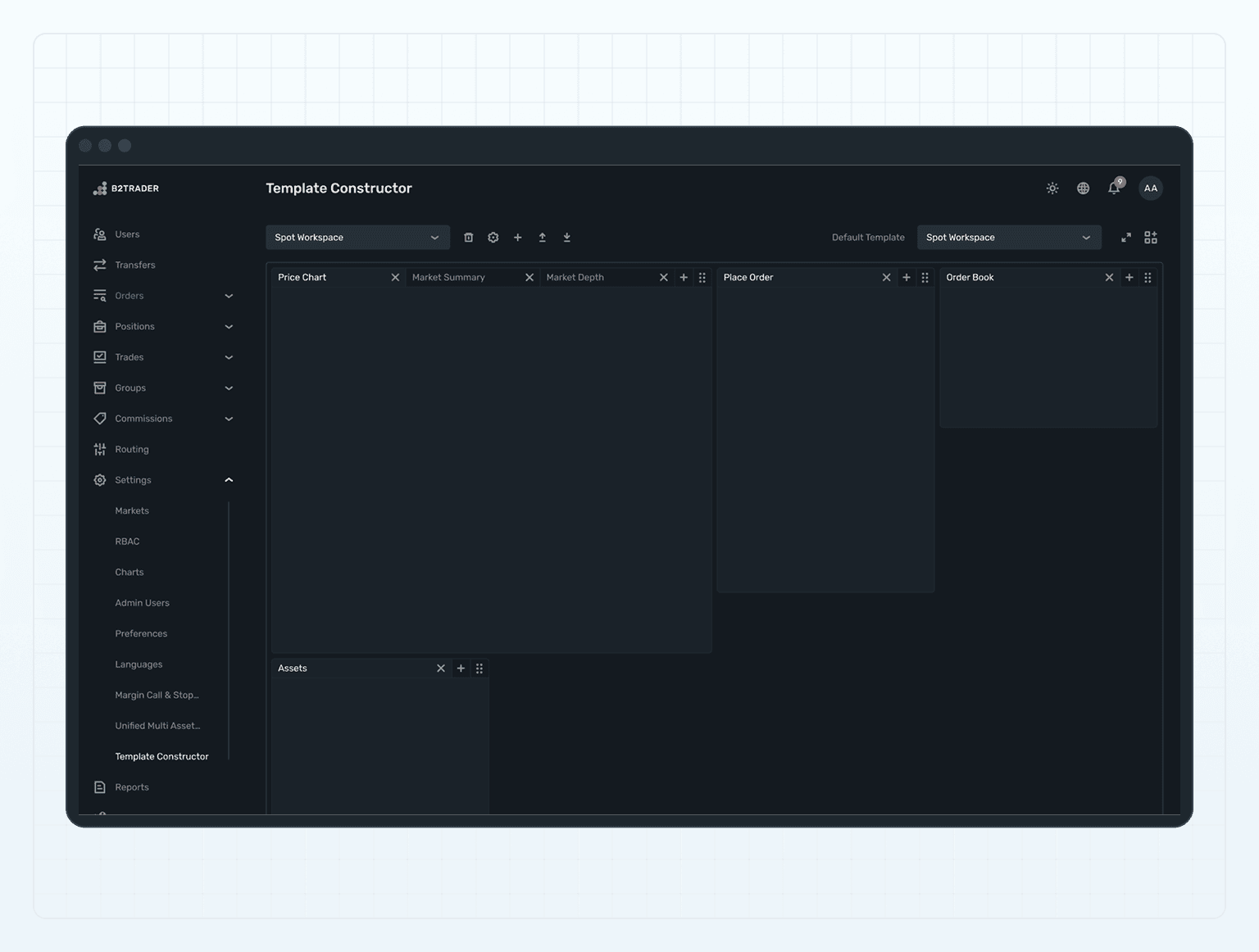
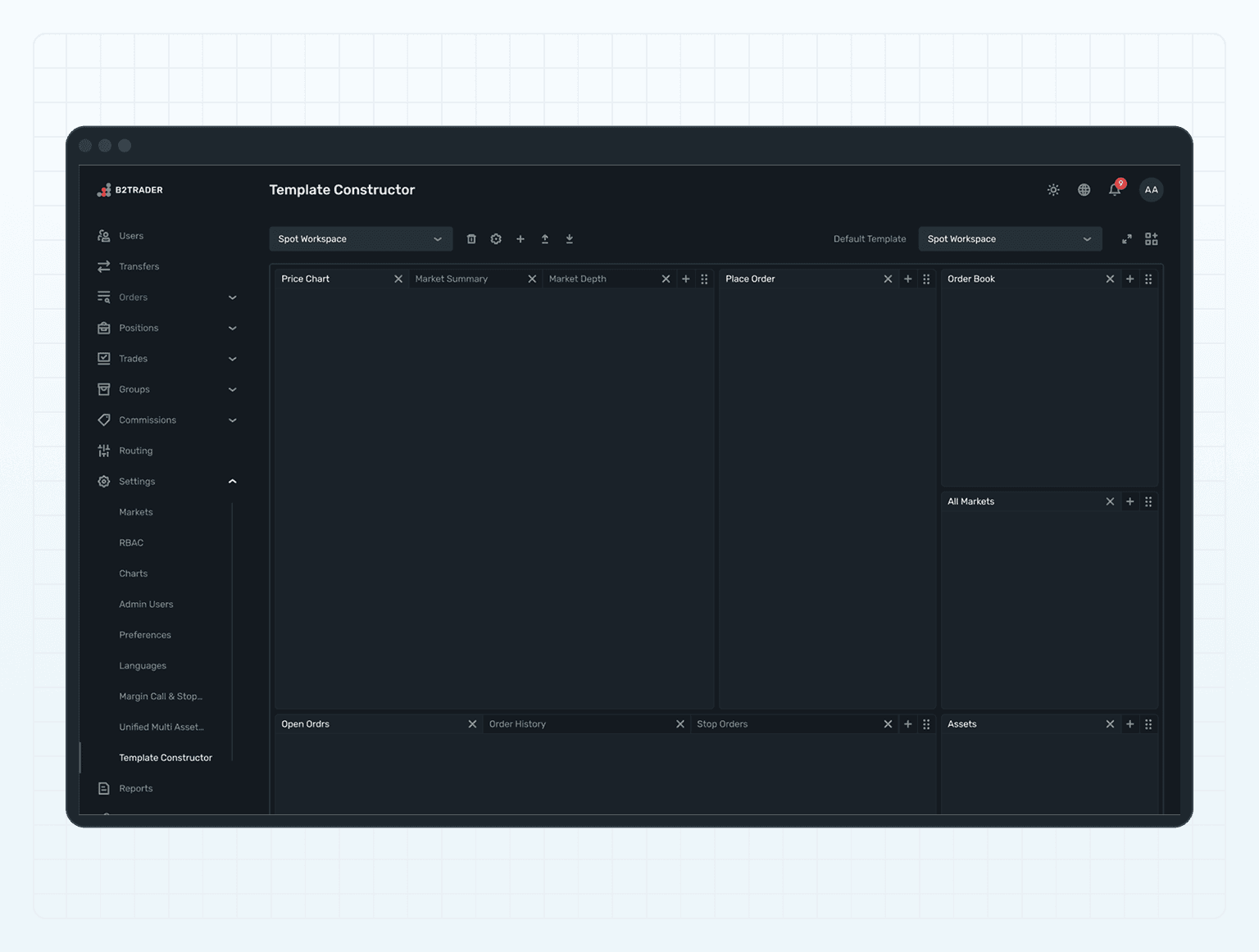
The Template Constructor feature empowers B2TRADER Admins to design and manage workspace layouts in the Trading terminal.

This module allows for the customization of workspace templates using a convenient canvas, enabling admins to tailor the user interface according to specific operational needs and trader preferences.

This module allows for the customization of workspace templates using a convenient canvas, enabling admins to tailor the user interface according to specific operational needs and trader preferences.

background - office buildings

Key Features

Key Features

Built-in Template Modification

Admins can easily modify existing templates, enhancing them to better suit trader needs and preferences.

Built-in Template Modification

Admins can easily modify existing templates, enhancing them to better suit trader needs and preferences.

Built-in Template Modification

Admins can easily modify existing templates, enhancing them to better suit trader needs and preferences.

Custom Template Creation

Facilitates the creation of up to 10 unique custom templates, providing versatility and customization options to reflect diverse trading strategies and user requirements.

Custom Template Creation

Facilitates the creation of up to 10 unique custom templates, providing versatility and customization options to reflect diverse trading strategies and user requirements.

Custom Template Creation

Facilitates the creation of up to 10 unique custom templates, providing versatility and customization options to reflect diverse trading strategies and user requirements.

Default Template Setting

Admins can select a default template that automatically loads when traders access the terminal, ensuring a consistent starting interface for all users.

Default Template Setting

Admins can select a default template that automatically loads when traders access the terminal, ensuring a consistent starting interface for all users.

Default Template Setting

Admins can select a default template that automatically loads when traders access the terminal, ensuring a consistent starting interface for all users.

Interactive Canvas

Utilizes Gridster in Overlay mode, offering an intuitive drag-and-drop interface for constructing and arranging template elements in a grid layout.

Interactive Canvas

Utilizes Gridster in Overlay mode, offering an intuitive drag-and-drop interface for constructing and arranging template elements in a grid layout.

Interactive Canvas

Utilizes Gridster in Overlay mode, offering an intuitive drag-and-drop interface for constructing and arranging template elements in a grid layout.

HOW IT WORKS

HOW IT WORKS

Template Management

Interactive Design

Template Management

  • Upon the setup B2TRADER administrator can create up to the 10 trading dashboards to make the brokerage platform common for the traders or to create the unique terminal fitting company brandstyle.

  • Use the canvas to create, modify, rename, delete existing templates or create custom ones, arranging widgets and tools according to desired specifications.

  • Set a default template to establish a consistent initial trading environment for new or returning users.

Template Management

  • Upon the setup B2TRADER administrator can create up to the 10 trading dashboards to make the brokerage platform common for the traders or to create the unique terminal fitting company brandstyle.

  • Use the canvas to create, modify, rename, delete existing templates or create custom ones, arranging widgets and tools according to desired specifications.

  • Set a default template to establish a consistent initial trading environment for new or returning users.

Interactive Design

  • The grid layout through Gridster allows for dynamic adjustments and alignment of tools, fostering a user-friendly experience.

  • Admins can easily move, resize, and organize elements within the grid, ensuring optimal layout configuration.

lady checking her phone and smiling

Template Management

Interactive Design

Template Management

  • Upon the setup B2TRADER administrator can create up to the 10 trading dashboards to make the brokerage platform common for the traders or to create the unique terminal fitting company brandstyle.

  • Use the canvas to create, modify, rename, delete existing templates or create custom ones, arranging widgets and tools according to desired specifications.

  • Set a default template to establish a consistent initial trading environment for new or returning users.

background

Any configuration is available to your traders right now

Any configuration is available to your traders right now

icon

Enhanced User Experience

Customizable layouts allow traders to access the most relevant tools and information quickly, improving their trading efficiency and satisfaction.

icon

Operational Consistency

Default templates ensure traders begin with a consistent and standardized interface, promoting familiarity and ease of use.

icon

Brand Differentiation

Tailored and professional workspace layouts can enhance the broker's brand image, providing a cutting-edge user experience.

icon

Flexibility and Adaptability

The ability to adapt and redesign interfaces meets evolving trading needs and market conditions.

FREQUENTLY ASKED QUESTIONS

FREQUENTLY ASKED QUESTIONS

What is the Template Constructor?

It is a feature that allows B2TRADER Admins to design, create, and manage workspace layouts in the Trading terminal from the Admin panel, tailoring them to specific trading needs.

icon close

What is the Template Constructor?

It is a feature that allows B2TRADER Admins to design, create, and manage workspace layouts in the Trading terminal from the Admin panel, tailoring them to specific trading needs.

What is the Template Constructor?

It is a feature that allows B2TRADER Admins to design, create, and manage workspace layouts in the Trading terminal from the Admin panel, tailoring them to specific trading needs.

icon close

How many custom templates can be created?

icon

How many custom templates can be created?

How many custom templates can be created?

icon

What is the benefit of setting a default template?

icon

What is the benefit of setting a default template?

What is the benefit of setting a default template?

icon

How does Gridster in Overlay mode enhance template construction?

icon

How does Gridster in Overlay mode enhance template construction?

How does Gridster in Overlay mode enhance template construction?

icon

Can templates be modified after creation?

icon

Can templates be modified after creation?

Can templates be modified after creation?

icon

© B2TRADER 2025 All Rights Reserved.

© B2TRADER 2025 All Rights Reserved.

© B2TRADER 2025 All Rights Reserved.