Market Categorization Management allows administrators organize and customize market categories in the trading terminal, improving navigation and helping traders quickly find and manage their preferences.
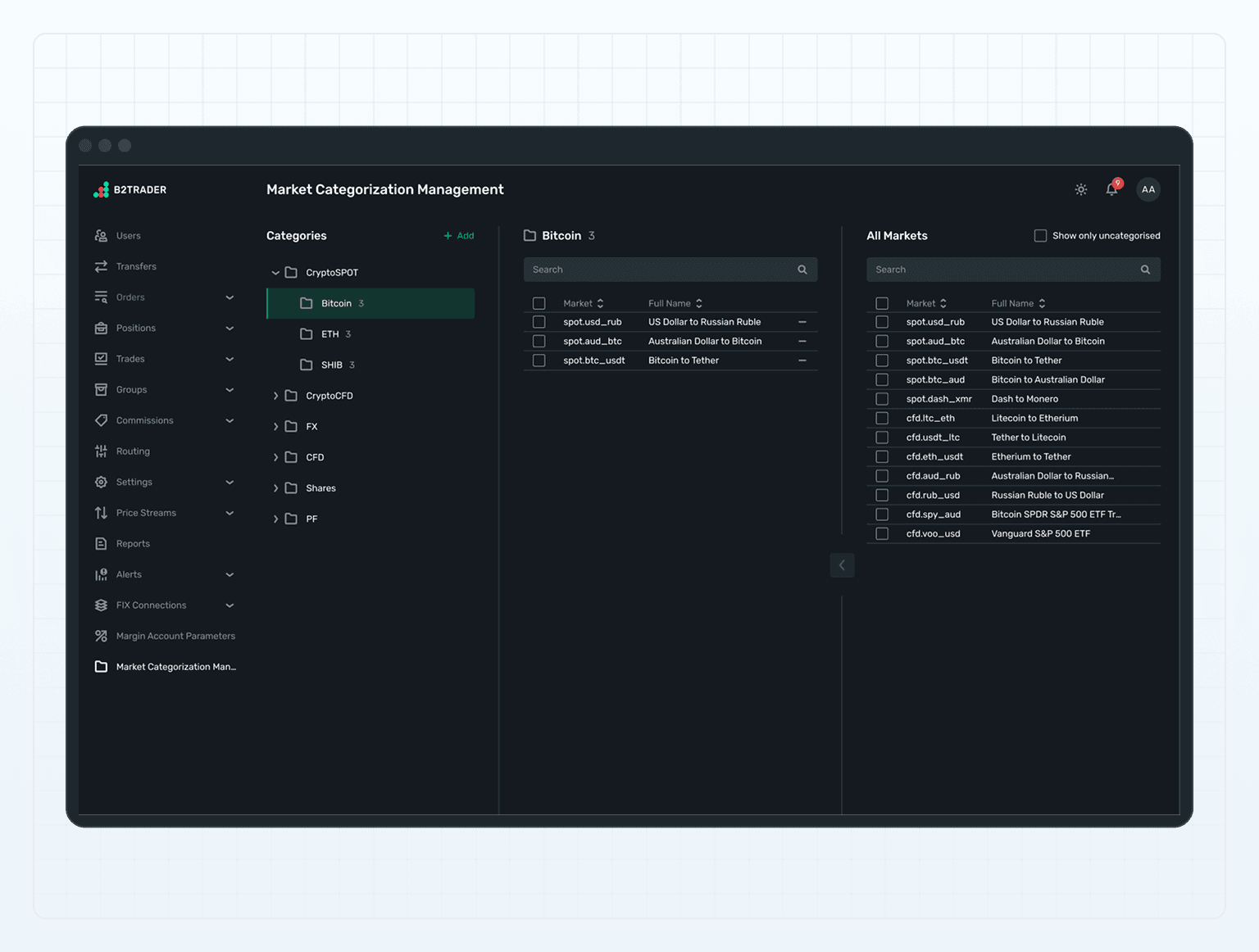
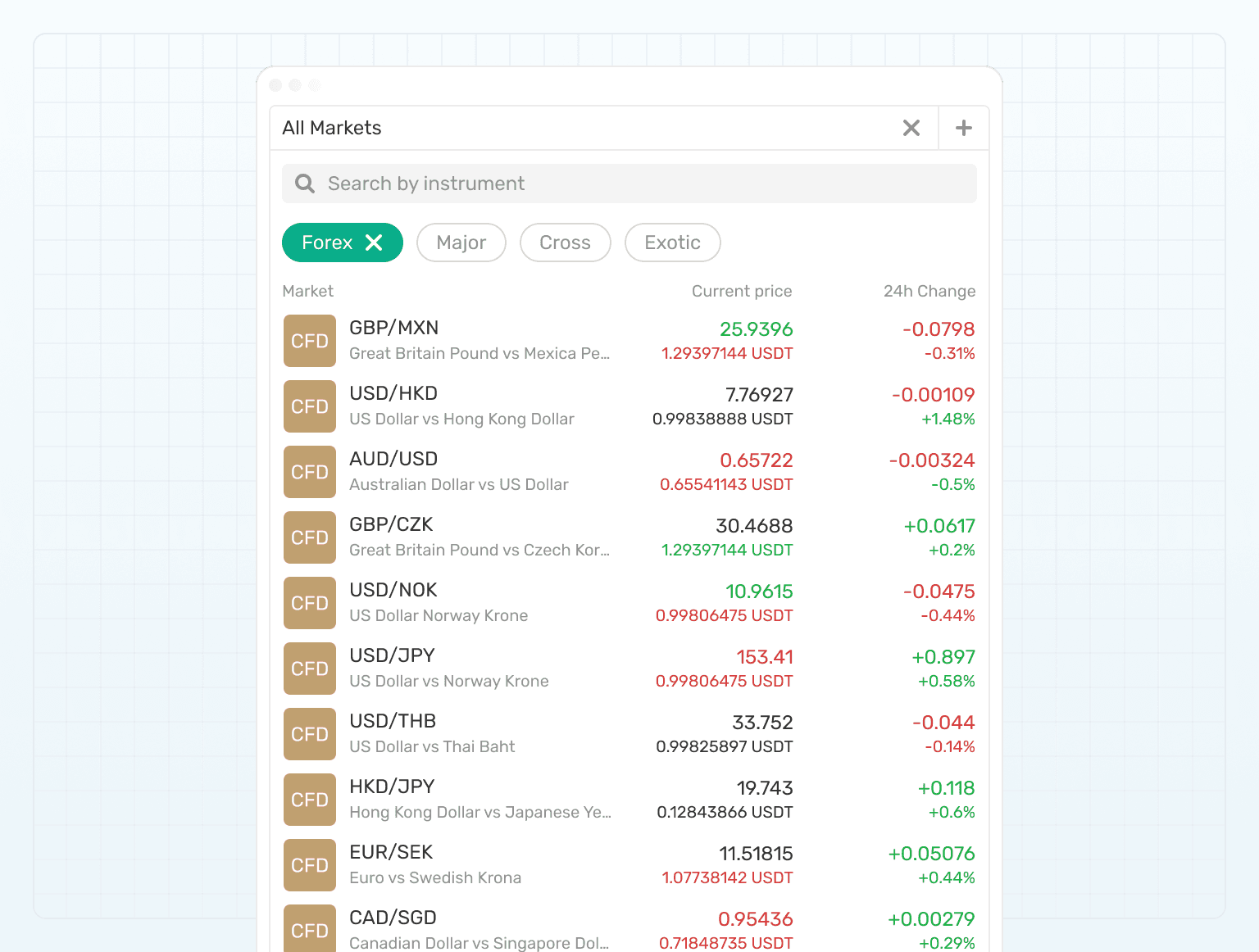
Market Categorization Management allows administrators to configure and organize market categories for display in the Trading terminal, providing structure and ease of navigation for traders. By customizing market categories, administrators can enhance the usability and accessibility of market information, ensuring that traders can efficiently locate and manage their trading preferences.

Market Categorization Management allows administrators to configure and organize market categories for display in the Trading terminal, providing structure and ease of navigation for traders. By customizing market categories, administrators can enhance the usability and accessibility of market information, ensuring that traders can efficiently locate and manage their trading preferences.

HOW IT WORKS

HOW IT WORKS

Category Configuration

Display and Usage

Category Configuration

Creation and Management

Administrators can create market categories and organize them hierarchically with up to three nested levels.

Adjustable Ordering

Categories can be reordered to best match strategic priorities or trader preferences, improving navigation and functionality.

Category Configuration

Creation and Management

Administrators can create market categories and organize them hierarchically with up to three nested levels.

Adjustable Ordering

Categories can be reordered to best match strategic priorities or trader preferences, improving navigation and functionality.

Display and Usage

Topbar Integration

Configured categories appear in the topbar of the Trading terminal, ensuring traders can easily access structured market information.

Widget Display

Embedded in all market selection widgets, reflecting the configured market categories for seamless integration.

Non-Duplication Policy

When a market exists in multiple categories, it appears only once in the top-level category view, preserving clarity and consistency.

lady checking her phone and smiling

Category Configuration

Display and Usage

Category Configuration

Creation and Management

Administrators can create market categories and organize them hierarchically with up to three nested levels.

Adjustable Ordering

Categories can be reordered to best match strategic priorities or trader preferences, improving navigation and functionality.

background

UI flexibility for trader convenience

UI flexibility for trader convenience

icon

Improved User Experience

Structured market information empowers traders to navigate and utilize the platform more effectively, enhancing their trading efficiency.

icon

Operational Clarity

Logical organization and presentation assist traders in quickly accessing the data and markets they need.

icon

Increased Trader Engagement

The ease of finding relevant markets and information increases trader satisfaction and platform engagement.

icon

Brand Reputation Enhancement

A well-organized and user-friendly trading platform bolsters trader loyalty and differentiates the brokerage in a competitive market.

FREQUENTLY ASKED QUESTIONS

FREQUENTLY ASKED QUESTIONS

What is Market Categorization Management?

It is the functionality that allows administrators to organize and categorize markets for clear display in the Trading terminal and associated widgets.

icon close

What is Market Categorization Management?

It is the functionality that allows administrators to organize and categorize markets for clear display in the Trading terminal and associated widgets.

What is Market Categorization Management?

It is the functionality that allows administrators to organize and categorize markets for clear display in the Trading terminal and associated widgets.

icon close

How many levels of market categories can be created?

icon

How many levels of market categories can be created?

How many levels of market categories can be created?

icon

Can a market be part of multiple categories?

icon

Can a market be part of multiple categories?

Can a market be part of multiple categories?

icon

How does category ordering affect appearance in the Trading terminal?

icon

How does category ordering affect appearance in the Trading terminal?

How does category ordering affect appearance in the Trading terminal?

icon

What happens if categories aren’t configured?

icon

What happens if categories aren’t configured?

What happens if categories aren’t configured?

icon

© B2TRADER 2025 All Rights Reserved.

© B2TRADER 2025 All Rights Reserved.

© B2TRADER 2025 All Rights Reserved.